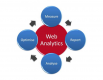
Introduction to Google Analytics Training Course
Google Analytics is a web analytics software for tracking and reporting website data. Using Google Analytics, users can gather insights and make data-driven decisions for business operations.
This instructor-led, live training (online or onsite) is aimed at data analysts who wish to use Google Analytics to track and report website data.
By the end of this training, participants will be able to:
- Set up Google Analytics to collect website data.
- Create and analyze reports.
- Gain insights and make data-driven decisions.
Format of the Course
- Interactive lecture and discussion.
- Lots of exercises and practice.
- Hands-on implementation in a live-lab environment.
Course Customization Options
- To request a customized training for this course, please contact us to arrange.
Course Outline
Introduction
Google Analytics Overview
- What is Google Analytics?
- Google Analytics features
Preparing the Environment
- Setting up Google Analytics
Administration
- Working with settings
Reporting
- Importing and exporting data
- Creating custom reports
- Creating and sharing dashboards
- Adding shortcuts
Data Visualizations
- Adding and comparing metrics
- Sorting data
- Creating charts and graphs
- Using the search features
Summary and Conclusion
Requirements
- A basic understanding of computers
Audience
- Data Analysts
Need help picking the right course?
azerbaijan@nobleprog.com
Introduction to Google Analytics Training Course - Enquiry
Introduction to Google Analytics - Consultancy Enquiry
Testimonials (2)
The final day which is the Machine Learning Topic
John Erick Baltazar - Globe Telecom
Course - Google BigQuery
It was a really good training course, well prepared and explained by the trainer with great hands on experience on GCP.
Mircea
Course - Google Cloud Platform Basics and Management
Related Courses
Google Cloud Digital Leader (CDL) – Certification Preparation
14 HoursThis instructor-led, live training in Azerbaijan is aimed at beginner-level business professionals who wish to prepare for the Google Cloud Digital Leader certification.
By the end of this training, participants will be able to:
- Explain how Google Cloud drives digital and data transformation.
- Describe Google Cloud AI/ML, infrastructure, security, and operations at a business level.
- Prepare for the certification exam with mock questions and structured review.
Google Cloud Platform Fundamentals and Core Service
24 HoursThis instructor-led, live training in Azerbaijan (online or onsite) is aimed at beginner-level IT professionals who wish to use Google Cloud Platform to understand core services, deploy cloud workloads, and follow operational best practices.
By the end of this training, participants will be able to explain core Google Cloud services, deploy basic workloads, and apply security and monitoring practices.
Google Cloud Generative AI Leader – Certification Preparation
14 HoursThis instructor-led, live training is aimed at beginner-level business professionals and leaders who wish to prepare for the Google Cloud Generative AI Leader certification.
By the end of this training, participants will be able to:
- Explain generative AI fundamentals and Google's foundation models.
- Describe Google Cloud's gen AI offerings and agent tooling.
- Apply prompt engineering, grounding, and RAG to improve output.
- Understand secure and responsible AI for business adoption.
Architecting with Google Compute Engine
21 HoursThis three-day instructor-led class introduces participants to the comprehensive and flexible infrastructure and platform services provided by Google Cloud Platform, with a focus on Compute Engine. Through a combination of presentations, demos, and hands-on labs, participants explore and deploy solution elements, including infrastructure components such as networks, systems, and application services. This course also covers deploying practical solutions including securely interconnecting networks, customer-supplied encryption keys, security and access management, quotas and billing, and resource monitoring.
Google BigQuery
28 HoursThis instructor-led, live training in Azerbaijan (online or onsite) is aimed at advanced-level data analysts who wish to learn how to use Google BigQuery for data querying, optimization, and machine learning integration.
By the end of this training, participants will be able to:
- Understand the fundamentals of Google BigQuery and its use for data analytics and cloud computing.
- Use Google BigQuery for data management and complex SQL queries.
- Implement query optimization strategies to improve performance.
- Integrate BigQuery with other Google Cloud services.
Google Certified Associate Cloud Engineer
35 HoursThis instructor-led, live training in Azerbaijan (online or onsite) is aimed at intermediate-level IT professionals who wish to develop the skills required to deploy, manage, and operate workloads on Google Cloud and prepare for the Google Certified Associate Cloud Engineer certification.
By the end of this training, participants will be able to:
- Set up and manage Google Cloud projects, resources, networking, and storage services.
- Deploy and administer applications using Compute Engine, Google Kubernetes Engine (GKE), Cloud Run, and App Engine.
- Configure identity and access management, security controls, and billing budgets, alerts, and cost monitoring.
- Provision and automate cloud infrastructure using Terraform and Cloud Build.
- Monitor, troubleshoot, and optimize Google Cloud environments using Cloud Monitoring and Cloud Logging.
- Understand the capabilities of Vertex AI and Google Cloud AI services for common business and operational use cases.
Google Cloud Platform Basics and Management
21 HoursThis instructor-led, live training in Azerbaijan (online or onsite) is aimed at beginner-level IT professionals who wish to manage and operate the Google Cloud Platform.
By the end of this training, participants will be able to:
- Understand the core services and infrastructure of GCP.
- Learn how to manage networks and virtual machines.
- Understand and apply general security best practices in GCP.
- Explore Kubernetes and container management in GCP.
- Learn about storage options and how to configure them.
- Deploy and configure databases on GCP.
Google Cybersecurity Professional
35 HoursGoogle Docs - 1 Day
7 HoursWith Google Docs, your documents are stored in the cloud, and you can access them from any computer or device. You create and edit documents right in your web browser; no special software is required. Even better, multiple people can work at the same time, you can see people’s changes as they make them, and every change is saved automatically.
In this course, you will learn how to open Google Docs, create and format a new document, and apply a template to a new document. You will learn how to enhance your documents using a table of contents, headers and footers, tables, drawings, images, and more. You will learn how to share your documents with others. We will discuss your sharing options and examine collaborator roles and permissions. You will learn how to manage versions of your documents. Google Docs allows you to work in real time with others on the same document. You will learn how to create and manage comments and action items in your documents. We will review a few of the Google Docs tools. You will understand how to set your preferences to suit your own work style and explore how to use tools such as Google Explore to add value to your content.
Mastering Google Earth Pro
21 HoursThis instructor-led, live training in Azerbaijan (online or onsite) is aimed at intermediate-to-advanced level GIS professionals who wish to learn how to use Google Earth Pro for mapping, data visualization, and geographic analysis.
By the end of this training, participants will be able to:
- Learn to navigate the user interface of Google Earth Pro and understand the functionality of its various tools and options.
- Efficiently navigate the globe using Google Earth Pro, including the use of search functions, coordinates, and various view modes.
- Create, edit, and utilize placemarks, paths, and polygons to mark and analyze geographical locations.
- Use Google Earth Pro for advanced visualization, including 3D buildings, historical imagery, and street view integration.
Google Sheets - 1 Day
7 HoursWHAT YOU WILL LEARN
-
Add, import, manage, and format data using Google Sheets.
-
Filter, summarize, and protect data in Google Sheets.
-
Perform calculations and visualize your spreadsheet data.
-
Apply best practices to share and collaborate in Google Sheets.
Google Workspace for Commercial Managers
7 HoursThis instructor-led, live training in Azerbaijan (online or onsite) is aimed at beginner-level commercial managers who wish to use Google Workspace tools to enhance productivity, collaboration, and organization within their respective roles.
By the end of this training, participants will be able to:
- Understand the basics of Google Workspace.
- Effectively schedule and manage meetings using Google Calendar.
- Confidently host, join, and manage virtual meetings, and use collaboration features like screen sharing.
- Create professional documents, use collaboration features, and convert documents to various formats.
- Create, format, and share presentations, and collaborate with others on the same presentation.
Google Workspace: Communication, Collaboration, and Productivity
14 HoursGoogle Workspace (G Suite) Essentials
7 HoursLooker Studio: Data Visualization & Interactive Reporting
7 HoursThis training is designed to equip participants with the knowledge and practical skills needed to harness the power of Looker Studio for data visualization and reporting. Participants will learn to connect data sources, manipulate metrics and dimensions, and design interactive dashboards that deliver actionable insights.